9/14/21: Try the following instructions below to reset your Life Fitness Connect App password.
Note: If there is an error when trying to reset your password, please contact Life Fitness Customer Service at email connectedfitness@lifefitness.com so we can force a password reset. Note to CSS
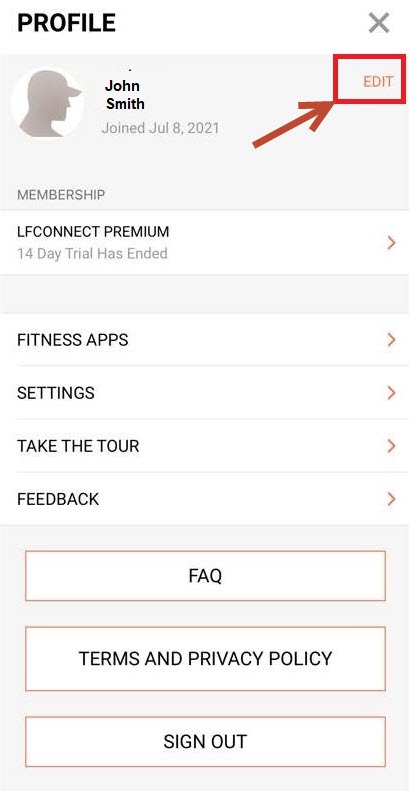
1.) Select the profile icon in the upper left corner.
2.) Then select "Edit" on the upright corner of the screen:
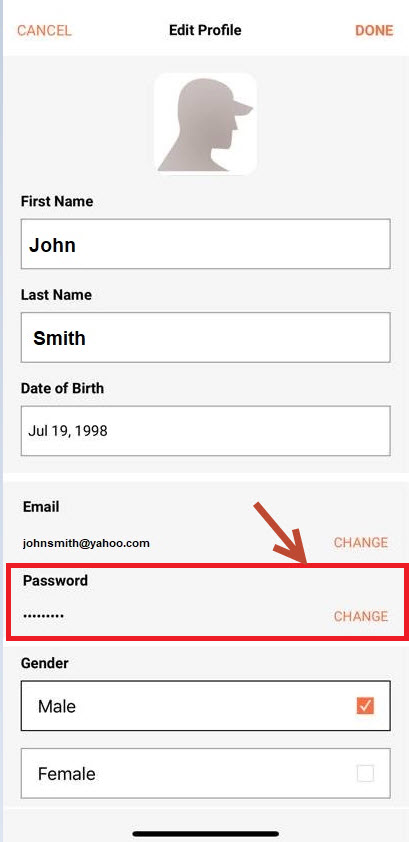
3.) Select Change under Password
4.) Choose a password with the following requirements:
- Minimum of 8 characters
- At least one special character (!*&%$)
- At least one number
- At least one upper case or lowercase letter
5.) Select Done, log out and then log back in using the new password