9/16/21: In order to change the Life Fitness Connect App Unit of Measurement from Imperial to Metric:
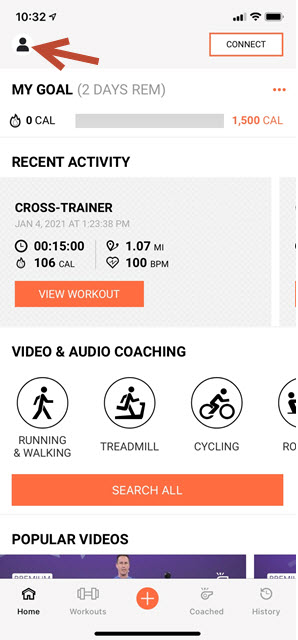
1.) Go to Profile in the upper left hand corner:
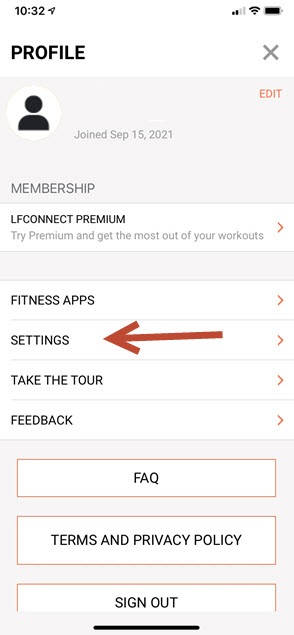
2.) Select settings:
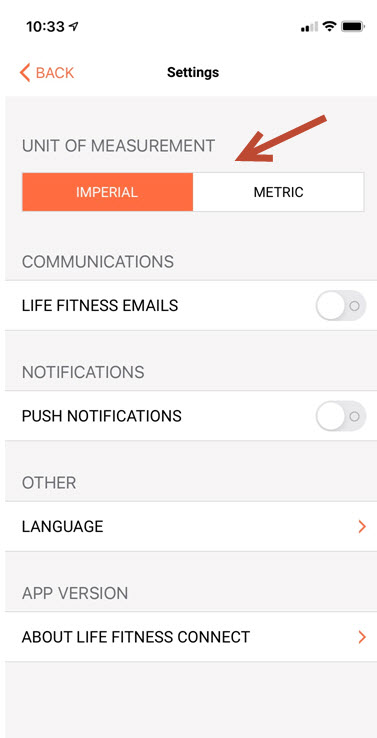
3.) Select "Imperial" or "Metric" under unit of measurement

9/16/21: In order to change the Life Fitness Connect App Unit of Measurement from Imperial to Metric:
1.) Go to Profile in the upper left hand corner:
2.) Select settings:
3.) Select "Imperial" or "Metric" under unit of measurement